
Open source · Apache-2.0 · One boot
Every AI agent gets its own nest.
Nestbox turns one Ubuntu machine — or one GPU cloud VM — into a governed workspace for AI agents. Sandboxed nests, a hot-reloadable AI firewall, and a web UI instead of forty commands.
Works with OpenShell, NemoClaw, OpenClaw and Nemotron.
- Boot to UI
- 1 ISO
- Policy sections
- 4
- Access roles
- 3
- API contract
- v1
Inside
The wizard, the appliance, the walkthrough.
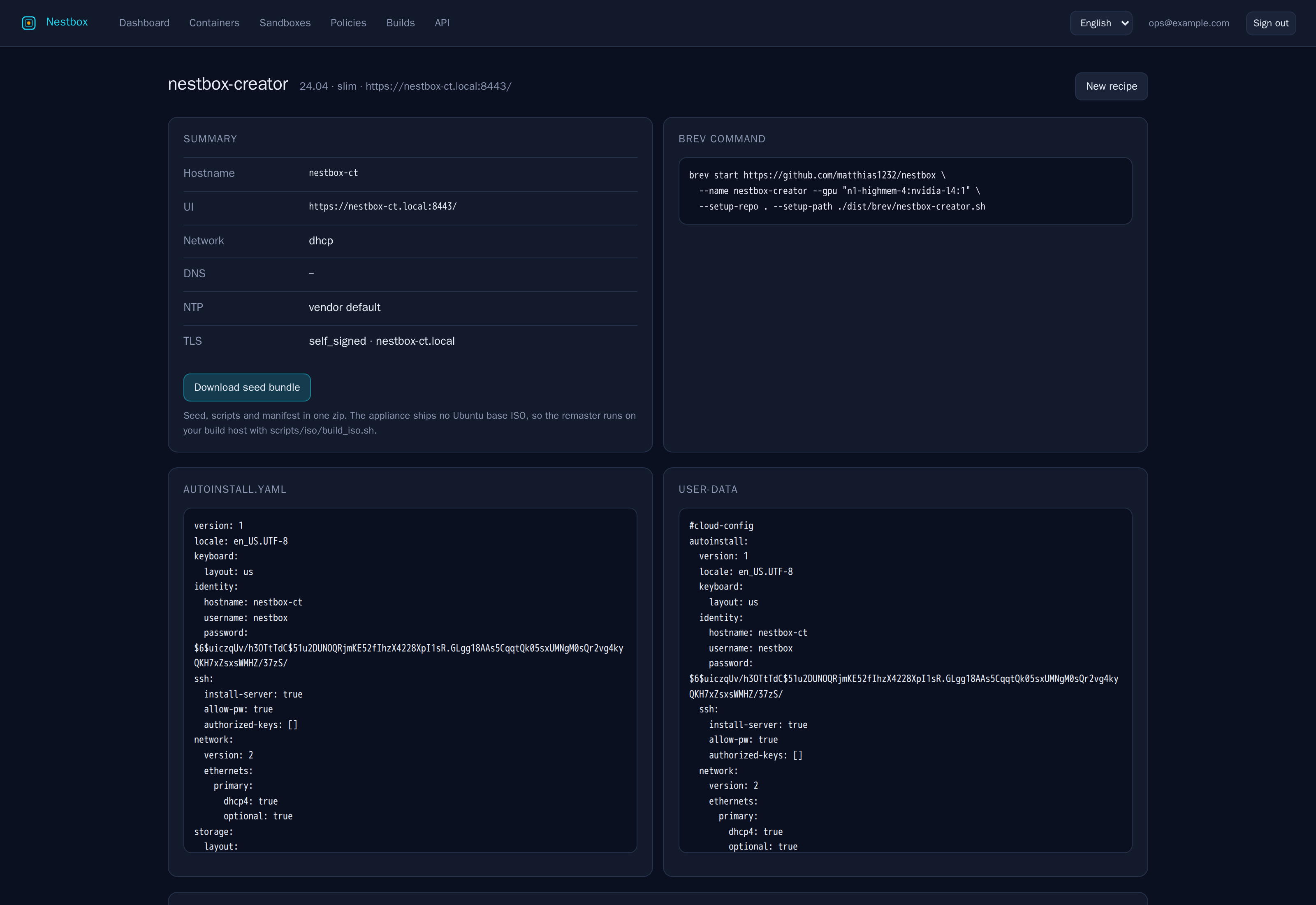
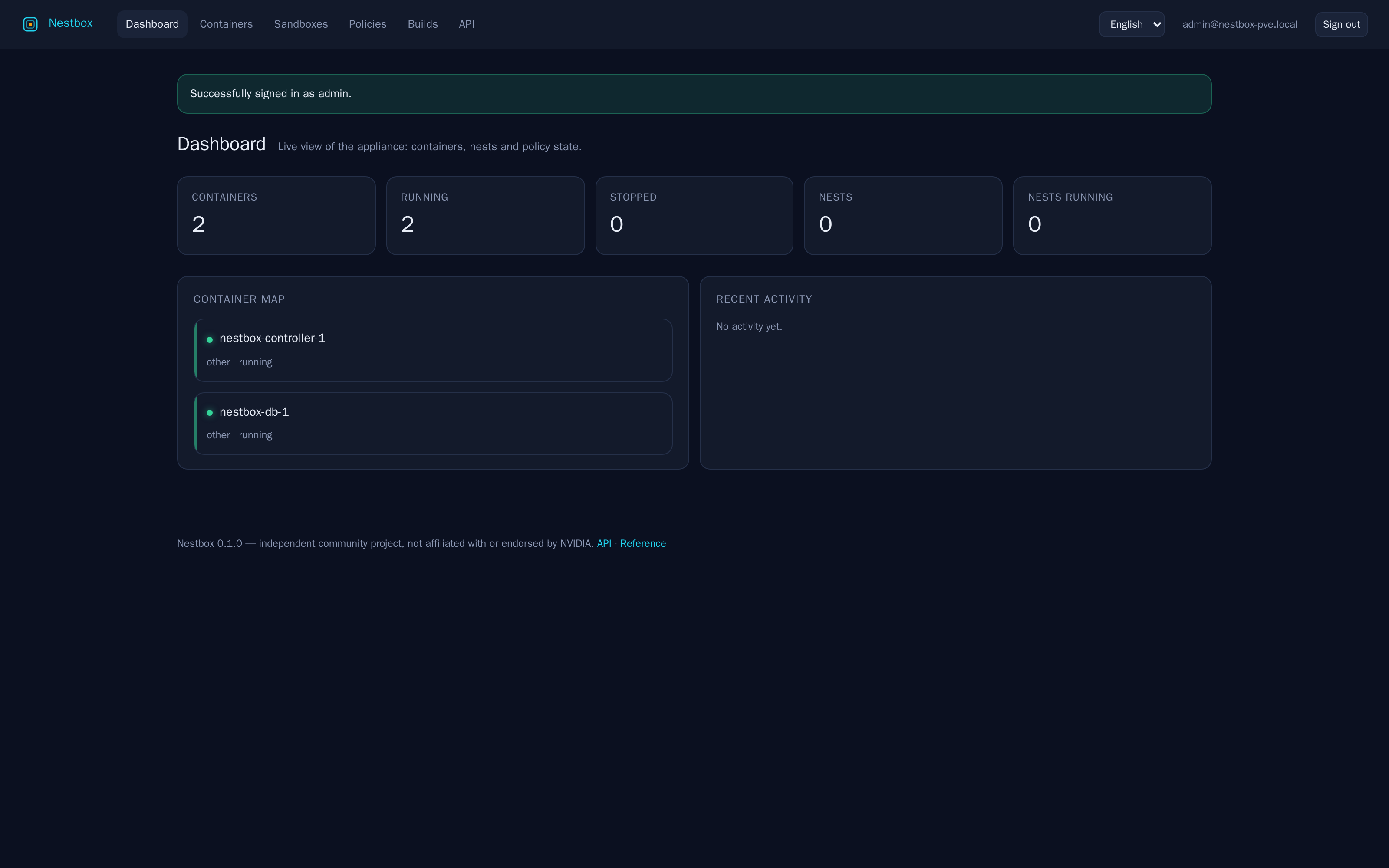
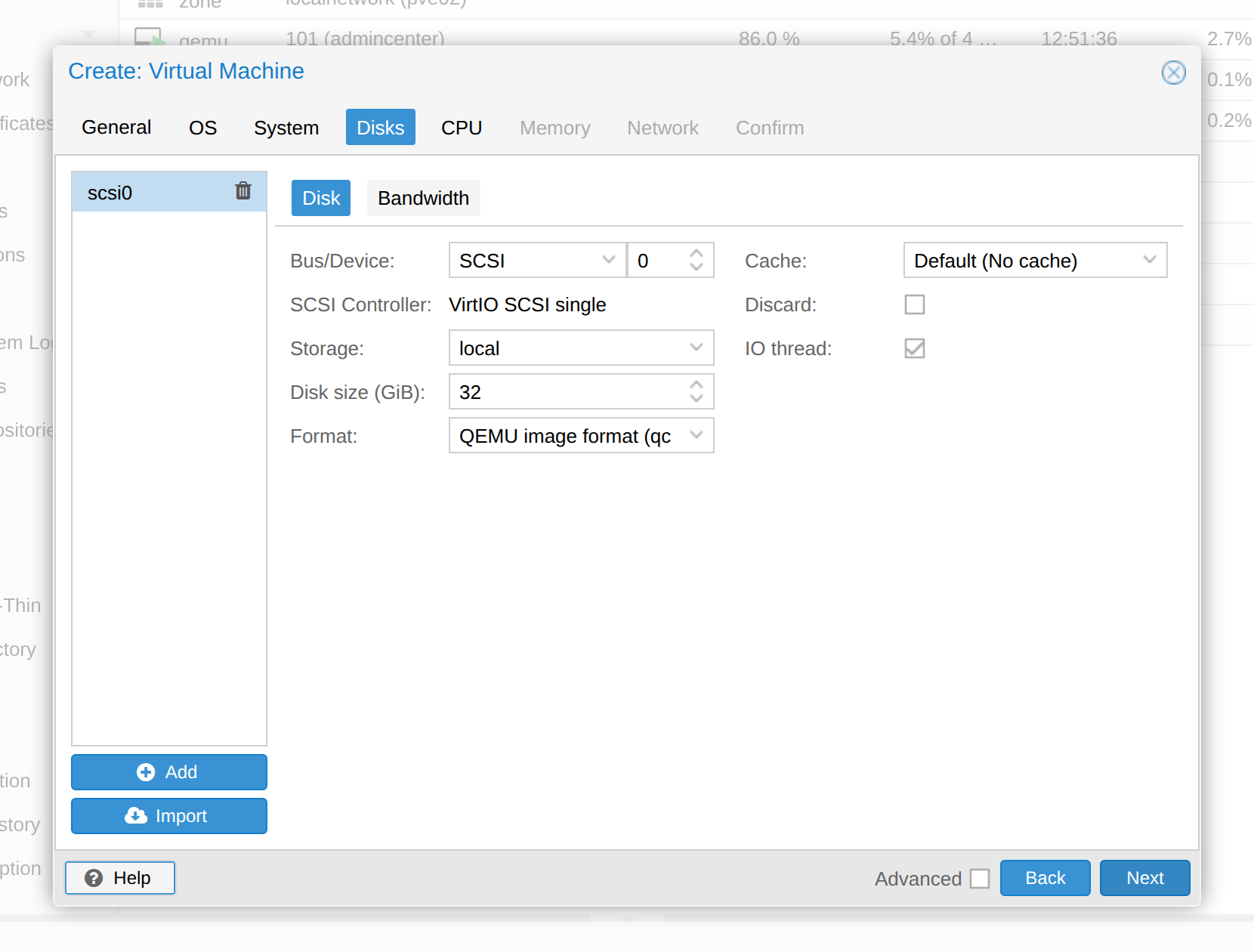
The Image Creator turns a form into a seed bundle and four scripts. The appliance boots into this dashboard. The guide shows every Proxmox dialog on the way there, with screenshots you can open at full size.
What it does
Sandboxes, policy and plumbing — handled.
Running an agent stack is normally forty commands, six config files and a firewall written by hand. Nestbox reduces it to one boot, one web UI and one API, without giving up the isolation that makes agents safe to run at all. The roadmap tracks what ships in which phase.
-
Nests on demand
Create a sandbox for Claude Code, Hermes Agent, OpenCode, OpenClaw or a custom stack in one click. Start it, stop it, exec in, stream logs, delete it.
-
The AI firewall
Filesystem, Landlock and process policy are fixed when a nest is created. Network rules are live: change a rule, it applies to the running sandbox, and you can roll it back.
See the policy model -
Reachable without port forwarding
Every nest gets a hostname and a valid certificate through the traffic container and the WireGuard overlay. No tunnels to babysit, no open ports to remember.
-
Backup and restore
Snapshot the controller, gateway, policies, certificates and nest workspaces. Restore the lot, or pull back a single file, from the browser.
-
One API behind every button
The UI is a client of the same versioned HTTP API you get: token or session auth, admin, operator and viewer roles, stable error codes, Server-Sent Events.
-
Agent packs, not setup guides
Choose a pack and get the nest, provider profile and policy set that make it work. First-party packs cover the common stacks; a custom stack is a pack too.
The AI firewall
Agent traffic, on a short leash.
A sandbox without a network policy is a machine with your API keys and an open route to anywhere. Nestbox gives every nest a policy document — and one place to change it.
Each nest carries four policy sections: filesystem, Landlock, process and network. They read as one firewall in the UI, and only the network section can hot-reload into a running sandbox. The other boundaries cannot move under a live process — so the UI says so instead of pretending otherwise.
-
Only the binaries you name may use an endpoint. A shell script that calls
curlis not that binary, so it is not allowed. - Enforced blocks. Audit records and allows. Shape a rule against real traffic before you tighten it.
- Every change is diffable. Compare against the policy the gateway is enforcing, apply, and roll back if the nest disagrees.
network_policies:
  model-api:
    endpoints:
      - host: api.anthropic.com
        port: 443
        protocol: rest
        enforcement: enforced
        access: allow
        methods: [GET, POST]
    binaries:
- path: /usr/local/bin/claude-
Edit
Structured form or raw YAML.
-
Validate
Checked against the schema first.
-
Diff
Compared with the effective policy.
-
Apply
Hot-reloaded into the nest.
-
Roll back
One click back to the last good state.
Four ways to run it
Same appliance. Four shapes of hardware.
One image covers a cloud GPU, a plain Ubuntu box, a machine with a local GPU and a laptop that only serves the model. Between them, only the provider profile moves — nests, policies and the API stay the same.
-
Cloud
Cloud GPU VM
Boot the image on a GPU instance and open the UI. No local hardware to buy, no driver stack to assemble, and the model stays next to the work.
-
CPU only
Local box, no GPU
Run the control plane on any Ubuntu machine and point nests at cloud models. Evaluate the workflow before spending on hardware; the policy model is identical.
-
Local GPU
Local box, with GPU
Attach the GPU to a
local-nemotronnest. The pack runs vLLM and the provider profile points at localhost; the firewall stays in front of the traffic. -
Overlay
Laptop hosts the model
Keep the appliance in the cloud and serve the model from your laptop over WireGuard. The endpoint moves to the overlay; the nest policy does not.
Moving between these four changes a provider profile, not a workflow. Start without a GPU if that is what you have.
Nemotron
Local models, one family.
Only Nemotron ships as the first-party local model. One family means one set of provider profiles, one set of policy profiles and one thing to test. Cloud models remain available through any OpenAI-compatible endpoint.
| Model | Parameters | Context | VRAM estimate | Fits on |
|---|---|---|---|---|
| Nemotron Nano 12B v2 VL | 12.6B dense | 128K | 24–32 GB | RTX 4090 24 GB, RTX 5090 32 GB |
| Nemotron 3 Nano | 30B total · 3.2B active | 1M | 32–48 GB | RTX 5090 32 GB, L40S 48 GB, DGX Spark |
| Nemotron 3 Super | 120B total · 12B active | 1M | 80 GB | A100 80 GB, H100 80 GB, RTX PRO 6000 96 GB |
| Nemotron 3 Ultra | 550B total · 55B active | 1M | 4× 96 GB | 4× RTX PRO 6000, DGX B200, clustered DGX Spark |
VRAM figures are our own estimates, not vendor specifications. Context is the hidden cost: a 1M-token window needs hundreds of GB of KV cache, so cap context on single-GPU deployments. Sources and dates.
API
One API behind every button.
Everything you can click is an HTTP call with a stable contract: token or session authentication, admin, operator and viewer roles, one error envelope and Server-Sent Events for live state. The schema is frozen in CI.
Explore and call it
Authorize with a token and call every endpoint against a running appliance.
/api/docs/
Read the reference
A clean, generated reference with roles, effects and error codes for each operation.
/api/redoc/
Take the contract
The machine-readable v1 schema, ready for clients, code generation and CI checks.
/api/schema/v1/
These links open on a running Nestbox appliance. The committed contract also lives in contracts/openapi-v1.json.